


Notepad, Notes, Easy Notebook
4.814.23K Reviews
App Specs
- Version
- 1.4.2
- Updated On
- License
- Free
- Downloads
- 10,000,000+
- Developer
- Simple Design Ltd.
- Categories
- Productivity
- Platform
- Android
Screenshots
 Analysis by AppCompare
I find a simple notepad most useful when it stays out of the way: I want to capture a thought quickly, then find it again without turning note-taking into another task. Notepad, Notes, Easy Notebook is aimed at that kind of everyday use. It is a free productivity app from Simple Design Ltd., and its appeal is less about elaborate workspaces than having a familiar place for short notes, lists, and reminders.
When a connection becomes part of the experience
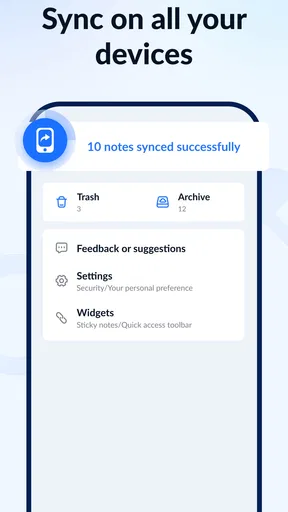
Connectivity matters most when I expect a note to follow me between devices. The app offers cloud syncing and backup, which can help if I change phones or want notes available in more than one place. I would treat that as a useful convenience, not as a reason to assume every note is instantly available everywhere: syncing depends on the cloud setup being in place, and a connection can affect when changes are backed up or reached from another device.
That distinction is worth keeping in mind for anything time-sensitive. If I write down an appointment detail while travelling and need it on another device later, I would check that the note has synced before relying on it there. For a casual shopping reminder, a short delay is unlikely to matter; for information I cannot afford to lose, keeping a separate copy is a sensible habit.
Useful on the move, with a little planning
The quick-entry approach suits brief mobile moments: saving a title someone mentions, noting a task before walking into a meeting, or adding an item while already in a shop. Categories can help separate these scraps from longer personal notes. I would keep the number of categories modest, though. A few clear buckets are easier to use on a small screen than a detailed filing system that demands a decision every time I write something down.
A practical routine is to put errands in one list, work thoughts in another, and use search when I remember a phrase but not where I filed it. That combination can be faster than repeatedly browsing folders. For a shared household list or a team plan, however, I would first check whether the app fits the collaboration needs; a personal notebook is not automatically a shared planning space.
What to do when access or recovery matters
The backup and syncing options are helpful, but they are not a substitute for a recovery routine. Before switching devices, I would confirm that the latest notes have had a chance to back up and make sure I can access the account or cloud service used for syncing. It is also wise to test the process with an unimportant note first rather than discovering a setup problem when moving something valuable.
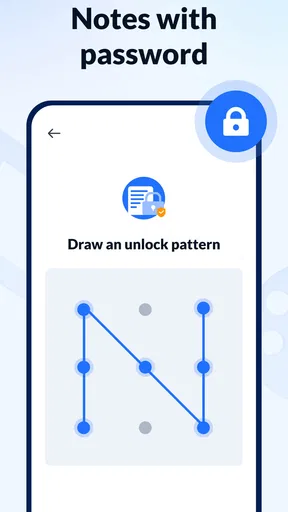
The password or biometric lock is useful when someone else might pick up my phone, but it serves a different purpose from a backup: a lock helps restrict access on the device, while a backup helps protect against losing notes. For sensitive information, I would still avoid treating a basic notes app as a secure vault for passwords, financial details, or private records.
Worth Reading Before You Choose

EA SPORTS FC Mobile 26 Is a Bigger Football Game, but It Takes Time

Flipboard Shows What News Apps Must Do Beyond the Feed

Switching to Android Auto Means Rethinking Your Driving Routine

Google Calendar Makes a Crowded Week Easier to Manage

Ludo King Makes the Most of the Minutes Between Plans

Baby Panda World Brings Quick Play to Modern Phones, but Its Game Library Feels Busy
Keeping data use deliberate
If I want to limit network use, I would avoid creating unnecessary sync traffic by repeatedly editing and rearranging the same notes across devices. I would also make sure important information is backed up when I have a reliable connection, rather than assuming a change made on one device has already reached the cloud. This is a small habit, but it makes the app’s connectivity features easier to depend on responsibly.
There is a trade-off here: cloud backup can make notes more convenient to recover and access, while syncing means my information is handled through a cloud service. Anyone choosing a notes app should consider where they are comfortable storing personal writing and whether the service’s setup suits them. For highly sensitive material, a tool designed specifically for secure storage may be a better fit.
Getting Started with Ease
When I first downloaded Notepad, Notes, Easy Notebook, I was immediately struck by its simplicity. The app opens up with a clean interface, which is refreshing in a world where apps often try to dazzle you with flashy graphics. Here, it’s all about functionality and efficiency.
The home screen is intuitive, allowing you to create new notes with just a tap. There’s no need to fumble around with tutorials or guides; everything is pretty self-explanatory. If you’re someone who’s always on the go and needs to jot down thoughts quickly, this app is a dream come true.
Features That Matter
Now, let’s dive into what makes this app a keeper. First off, the search functionality is top-notch. If you’re like me and tend to have a million notes, being able to find that one idea you had last week is crucial. The app’s search bar is responsive and accurate, making it incredibly easy to locate your notes.
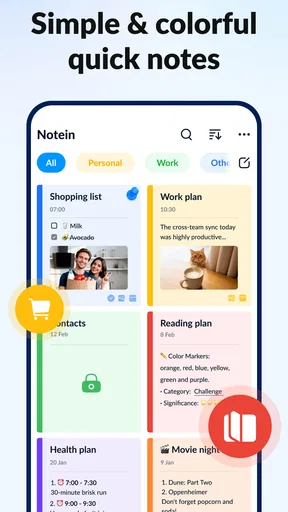
Another feature I genuinely appreciate is the ability to organize notes into categories. You can create different sections for work, personal life, shopping lists, or whatever else your heart desires. This organizational feature helps keep everything tidy and accessible.
Oh, and did I mention the backup options? You can sync your notes to the cloud, ensuring you never lose your precious thoughts. This is especially useful if you switch devices or need to access your notes from different platforms. It’s like having your own personal assistant on standby.
Customization and User Experience
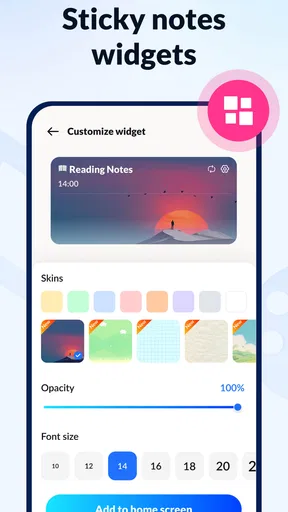
The app also offers a few customization options which, while not extensive, cover the basics. You can change the color theme to suit your style or adjust the font size if you prefer a larger text. These small touches make a big difference in the daily usability of the app.
One of my favorite aspects is the app's performance. It’s fast; there’s no lagging or crashing, which is often a concern with note-taking apps. Whether you’re writing a quick reminder or a long-form piece, the app handles it smoothly.
Choosing it over a heavier notes app
Compared with feature-rich note systems that combine documents, attachments, notebooks, and collaboration tools, this one is easier to approach when the job is simply to capture and retrieve text. Search and categories form a practical middle ground: I can keep a handful of useful notes organized without having to design a complicated structure first. The trade-off is that people who depend on shared editing, elaborate project boards, or a richly linked research archive may be better served by a more specialized tool.
For students, it can hold quick lecture reminders, reading ideas, and a short list of questions to revisit. I would not make it my only home for a semester’s worth of carefully formatted course material unless its organization and backup routine match that need. For work, it is well suited to personal action items and meeting snippets; a team that needs everyone to update the same plan should choose a service built around shared work.
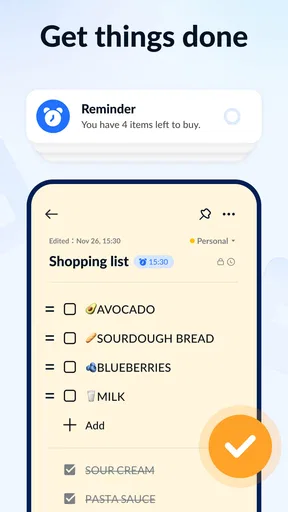
A realistic use is a busy grocery stop after work. I might keep a shopping note in its own category, add an item when I notice it has run out, then search for the list at the store rather than trying to remember everything. A separate work category keeps a stray task from getting mixed into the errands. The useful trick is to write specific entries—“whole-grain bread” rather than “bread stuff”—because a searchable note is only as helpful as the words I put into it.
Limits, fit, and the everyday verdict
Anyone deciding whether to try it may wonder if it costs anything to get started. The app is free, with optional in-app purchases priced from $3.99 to $30.99 per item. It is rated for Everyone, has an average rating of 4.8 from around 437,000 ratings, and has been installed over 10 million times. Those figures suggest broad use, but they do not tell me whether its particular balance of simplicity and features will suit my habits.
The app was released on April 8, 2022, and its current version is 1.4.1.98, with Android 8.0 as the minimum operating-system requirement. That makes the compatibility detail worth checking before installing on an older device. I would also decide early whether I actually need the optional purchases: if my routine only involves short notes, lists, search, and basic organization, I would start with the free experience and pay only if a specific extra proves useful.
For someone who wants an uncomplicated personal notebook, the strongest reason to choose it is the short path from opening the app to getting a thought down. The main friction is not complexity but managing expectations: categories are not a substitute for a project system, cloud backup requires sensible setup, and a lock is not the same as specialized secure storage. If I need shared editing, extensive document tools, or strict control over sensitive records, I would look elsewhere.
So, is Notepad, Notes, Easy Notebook worth your time? I think it is a reasonable choice if you want a lightweight place for personal notes and lists, and you are comfortable keeping your categories and backup habits simple. Connectivity can make the notebook more useful across devices, but I would not make it the sole copy of anything critical without checking that recovery works for me. If you’re tired of complicated apps that do too much, give this one a try. You won’t be disappointed. After all, sometimes simplicity is the ultimate sophistication.
Pros
- Simple and intuitive interface.
- Fast note synchronization.
- Supports multimedia attachments.
- Customizable themes available.
- No ads in the free version.
Cons
- Limited formatting options.
- No collaborative features.
- Requires internet for sync.
- Basic search functionality.
- No task management tools.
FAQs for Notepad, Notes, Easy Notebook
What features does Notepad, Notes, Easy Notebook offer?
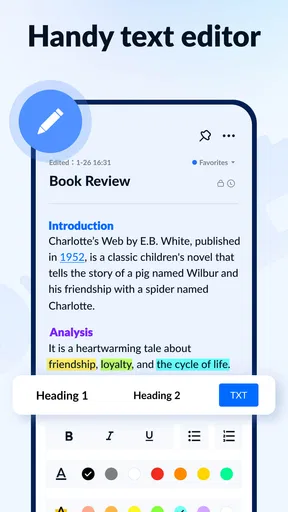
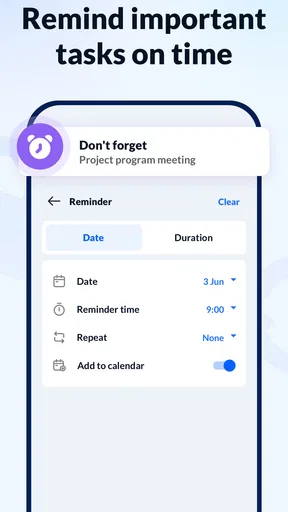
Notepad, Notes, Easy Notebook provides a variety of features designed to enhance your note-taking experience. These include text formatting, checklist creation, voice memos, and cloud synchronization. Additionally, users can organize notes into folders, set reminders, and secure sensitive information with a password lock, making it a versatile tool for both personal and professional use.
Is Notepad, Notes, Easy Notebook available on both Android and iOS?
Yes, Notepad, Notes, Easy Notebook is available for download on both Android and iOS platforms. The app is designed to provide a seamless experience across devices, allowing users to access their notes from any smartphone or tablet. Ensure your device meets the minimum system requirements for optimal performance.
Does the app require an internet connection to function?
Notepad, Notes, Easy Notebook can function offline, allowing you to create and edit notes without an internet connection. However, features like cloud synchronization and backup require internet access. This ensures your notes are safely stored and accessible across multiple devices, even when offline changes are made.
Are there any subscription fees or in-app purchases?
The app is free to download and use, offering basic features without any cost. However, there are optional in-app purchases and subscription plans available. These premium options unlock additional features such as advanced formatting tools, ad removal, and increased cloud storage space, providing a more comprehensive experience.
How secure is my data within Notepad, Notes, Easy Notebook?
Data security is a priority for Notepad, Notes, Easy Notebook. The app includes features such as password protection for individual notes and encrypted cloud storage for synchronized data. Always ensure you use strong, unique passwords and keep your app updated to benefit from the latest security enhancements.


